 Door Tech
Check the door
Step through the door and mark each part. Unfinished checks wait on the Checks tab.

An iPhone app for garage door technicians. Walk a 3D model of the door through about 30 points, mark each part, and send a priced PDF estimate.

Step through the door and mark each part. Unfinished checks wait on the Checks tab.
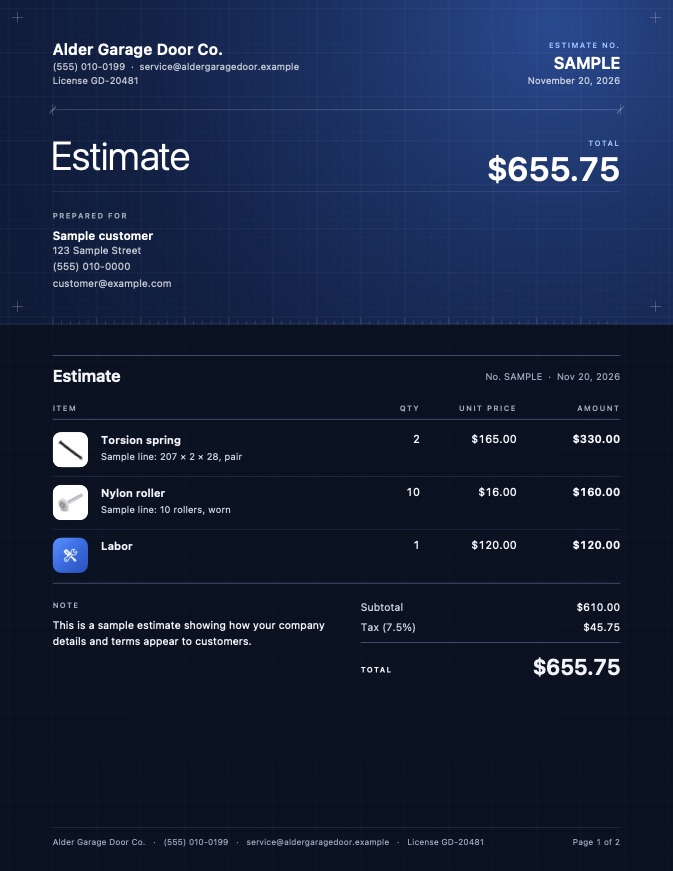
The app drafts it from the parts you flagged. Change quantities, prices and labor.

Send it from your phone through Mail or the share sheet, so it comes from you.

The app takes you round a 3D model of the customer's door: springs, cables, drums, rollers, hinges, tracks, opener, seals and sensors.
Good, Worn, Replace or N/A for each part. A marked part takes its color on the model, so nothing gets skipped.
Every part you flag becomes a priced line from your own price book, ready to adjust and send.
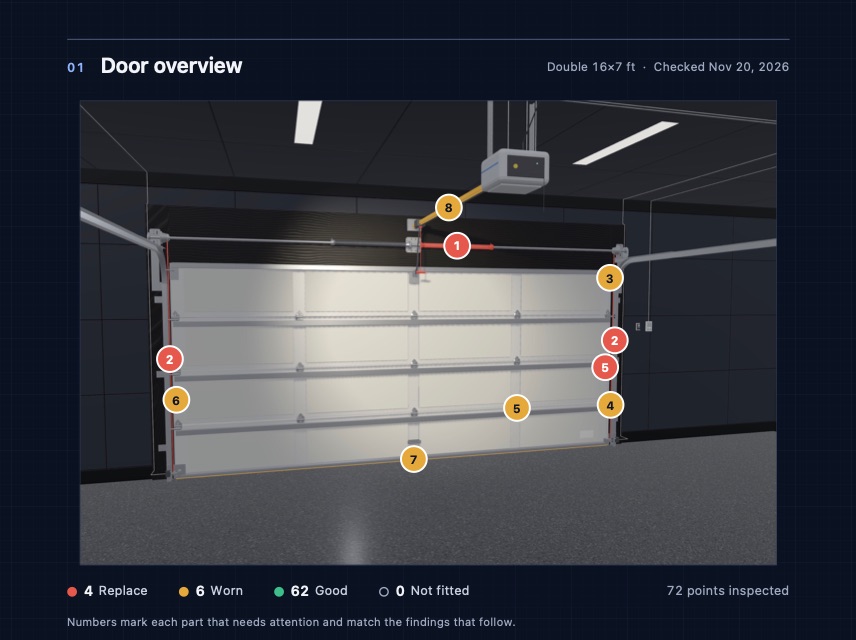
The PDF opens with a rendered overview of the door and a numbered marker on every part that needs attention. Each part follows with a close-up, its status and its price.

Fraying at the drum, loose brackets, bends and rub marks.

Worn wheels, wobble and seized bearings, left and right.

Cracks, loose screws and worn pivot holes at every joint.
A customer agrees faster when the estimate shows the door, the part and the price. Door Tech puts all three on one PDF before you leave the driveway.
Match the spring on the door, design one for it, or work out door weight, from Canimex-based tables. Verify every result against the door and the maker's data.

Pick the model, size, panel style, color, windows and insulation. The estimate shows a drawing of that door with its dimensions.

Both plans include the 3D door check, your price book and the PDF estimate.
Pro is an App Store subscription, monthly or yearly, with a free trial. Apple handles the billing. The app is coming soon to the App Store.
No subscription. For trying it on your next few doors.

For technicians who check doors every week.

iPhone. There is no Android or web version.
As a PDF you send yourself from your iPhone, through Mail or the share sheet.
On your iPhone. You can erase all of it from your profile in the app.
In Settings, under your name, then Subscriptions.
Use it as an aid. Check every result against the door and the manufacturer's data. Springs under tension can cause serious injury.
C.H.I. doors. For repairs, the check covers sectional doors with torsion or extension springs.
